






X-Twitter Google browser use Token (computer only)

Logging out account and changing password will cause token to change, please do not log out account, if need to exit please clear cache
1. Download plugin, plugin has passed Google review, use with confidence
Download plugin link:https://chromewebstore.google.com/detail/x-token-login/lebmjgeajaflbnbggmpeibnpeonjlmgb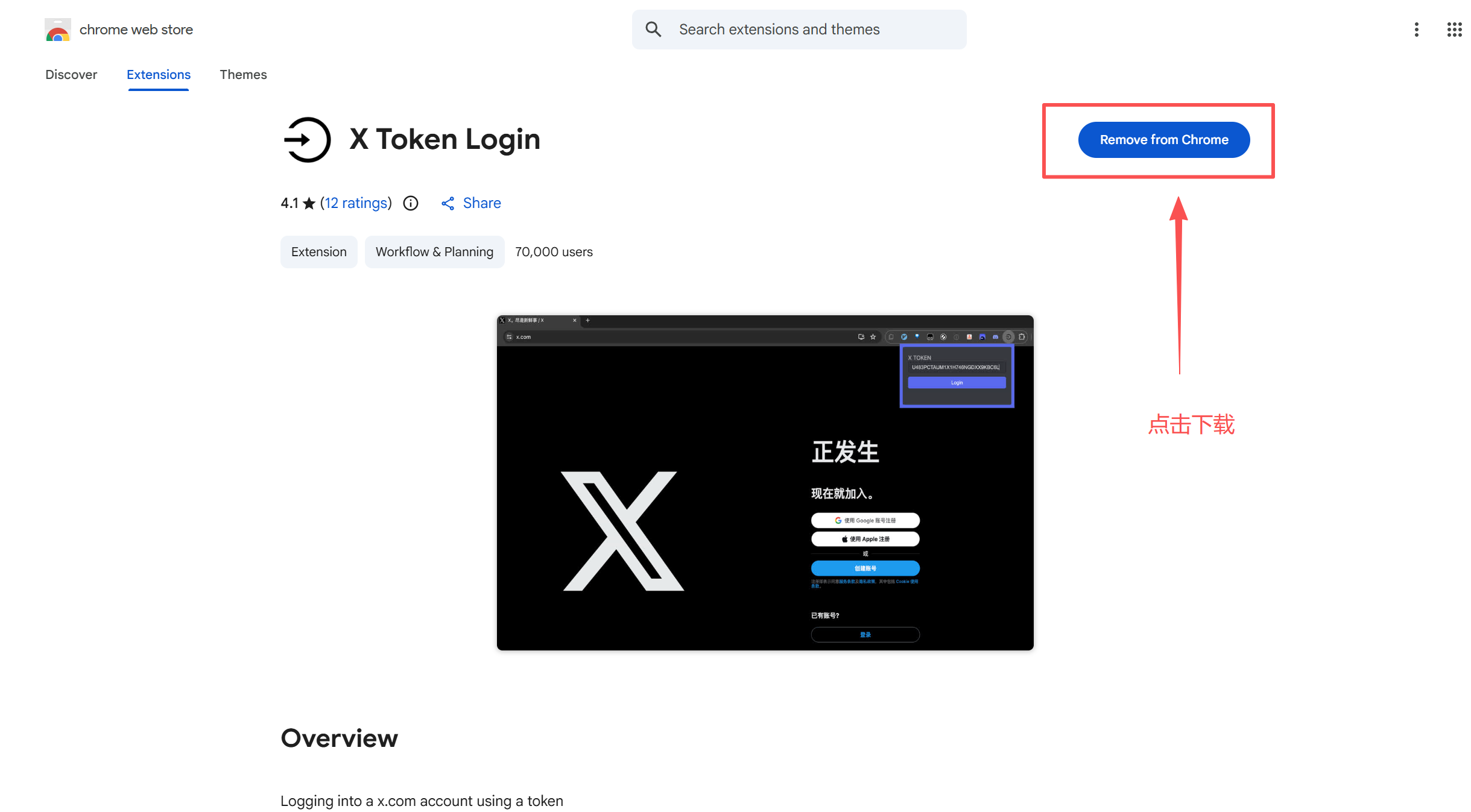
2. After buying account download document, find that account's token parameter, use this ---- as separator, generally token parameter is fixed composed of twenty lowercase letters and numbers mixed.
3.Open official homepagehttp://x.com
4. Click the right top corner of the token login plugin
5. Copy the account's TOKEN parameter and paste it in, then click login to proceed.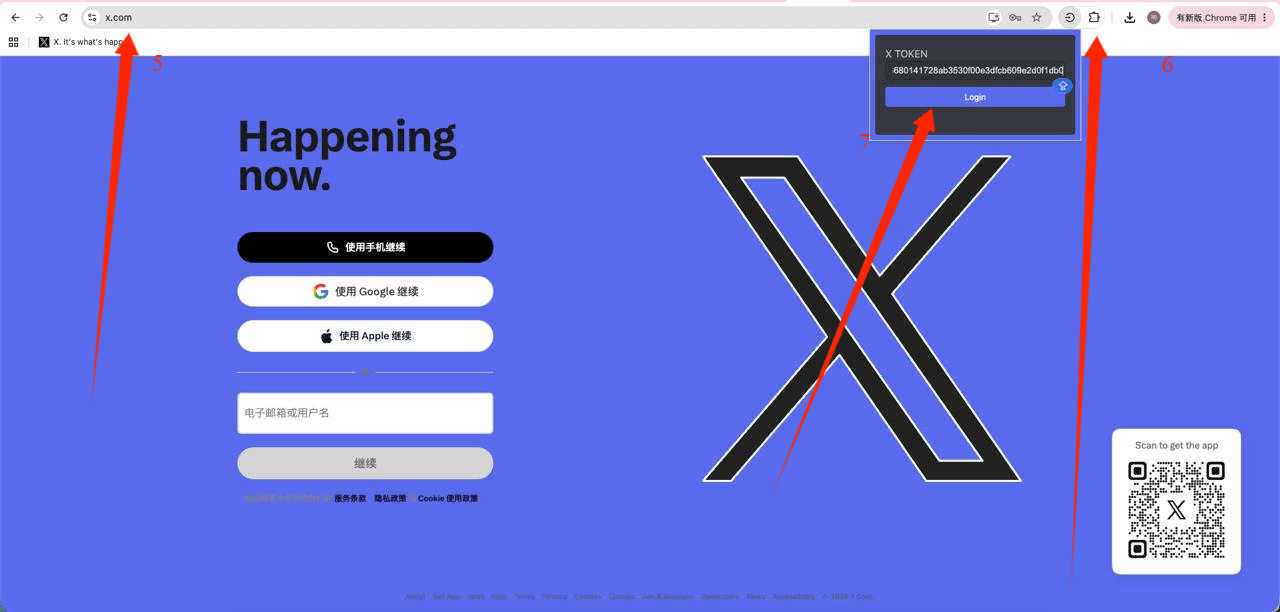
⚠ Attention: 1 If token once login not successful then try 2-3 times, three times all not working indicates that the account's token parameter has expired.
⚠Redirect failed please first clear cache then repeat tutorial, clear cache address as follows
chrome://settings/clearBrowserData